Universities and training centers need reliable, scalable platforms for cybersecurity training and simulations. Whether you run classroom labs, hands-on bootcamps, or large Capture-The-Flag (CTF) events, choosing the right platform affects learning outcomes, instructor workload, and cost.
In this guide, you will learn how to evaluate platforms for CTF hosting, cybersecurity simulations, and cybersecurity education, with practical recommendations and real-world use cases — including how Simulations Labs can help you launch secure, managed labs fast.
What universities and training centers need from a cybersecurity training platform
- Easy setup and low administrative overhead — instructors should not need DevOps skills.
- Secure, isolated environments for hands-on exercises (Docker containers or VMs).
- Scalability — support for many concurrent students during peak events.
- Real-time monitoring and reporting for assessment and accreditation.
- Content flexibility — ability to upload custom challenges or use pre-built labs across domains (web, forensics, malware, cryptography).

Core platform types and when to use each
1. Managed CTF and lab hosting platforms
Best when you need turnkey events, minimal infrastructure work, and built-in scoring. Ideal for CTFs, applicant assessments, and sprint-style labs.
2. Self-hosted lab platforms
Good when you require full control over environments and data, but expect higher DevOps overhead. Suitable for institutions with dedicated IT/security teams.
3. Cloud lab builders and playgrounds
Offer flexible environments and per-minute billing. Useful for ad-hoc labs and sandboxing, though they may need additional orchestration for competitions.
Evaluation checklist: How to compare platforms for CTF hosting and cybersecurity simulations
Use this checklist when shortlisting vendors:
- Deployment model: Managed SaaS vs. self-hosted.
- Challenge formats supported: Docker containers, VMs, interactive web challenges, and on-demand labs.
- Scalability and stability: Can it handle university-wide finals or big public CTFs?
- Security isolation: Network and container isolation, attack surface controls.
- Monitoring and reporting: Real-time dashboards, exportable reports (CSV, Excel, PDF).
- Content library and authoring tools: Pre-built challenges.
- User management: SSO/LMS integration, participant filters, prerequisites for registration.
- Cost and sponsorship options: Transparent pricing or academic sponsorship programs.
- Support and onboarding: Technical support, documentation, and product demo availability.
Why Simulations Labs is a top pick for universities and training centers
Simulations Labs is built for organizations that want to run CTFs and cybersecurity simulations without DevOps or infrastructure overhead. Key differentiators:
- Fully managed hosting: Launch events without worrying about servers or maintenance.
- Docker container hosting: Deploy docker-based challenges instantly; instances are isolated and scaled automatically.
- AI-powered content: Access an extensive library of ready-made challenges and use an AI agent to speed up content creation.
- Extensive domain coverage: Web security, digital forensics, reverse engineering, network security, OSINT, cryptography, and more.
- Real-time monitoring and reporting: Central dashboard tracks performance and exports reports in CSV, Excel, or PDF.
- Participant controls: Set prerequisites and filters for tailored competitions (e.g., university-only entry or women-only events).
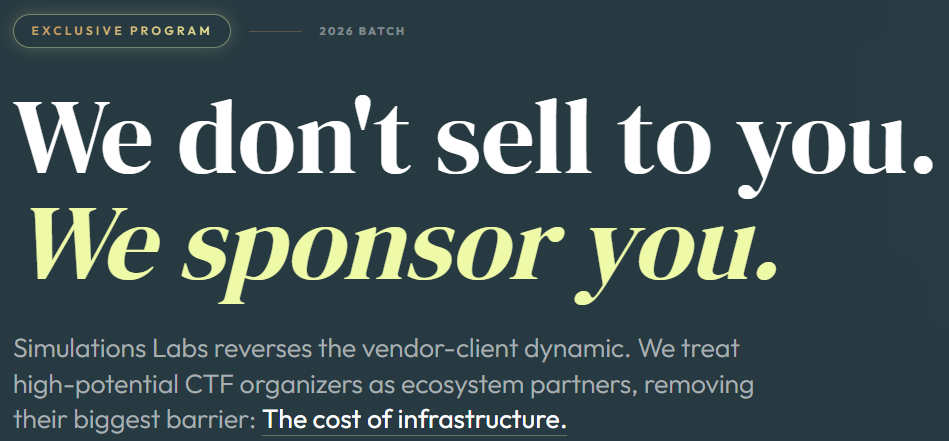
- Sponsorship for academia: The Spotlight Program offers fully hosted events for universities and community-serving entities at no cost.
.png)
Real-world examples and use cases
1. Semester-long practical coursework
A computer security course can use Simulations Labs to host weekly docker-based labs. Instructors upload custom images or pick challenges from the library. Students complete hands-on tasks; instructors track progress via the dashboard and export grades.
2. Assessment and applicant screening
Training centers can run targeted applicant assessments to validate candidate skills before admission. Use prerequisites and filtered registrations to run university-specific or diversity-focused CTFs.
3. Large-scale CTF for campus or public events
For campus-wide competitions with hundreds of participants, Simulations Labs handles scaling, security, and uptime automatically — reducing the risk of downtime or server compromise during the event.
Actionable steps to adopt a platform for your institution
- Define your objectives: course labs, applicant assessment, or public CTF?
- Choose deployment preference: managed SaaS to reduce IT load or self-hosted for full control.
- Map required challenge types.
- Request a demo and pilot: run a small event or lab series to validate workflows.
- Train instructors: provide a short onboarding session using the platform dashboard.
- Launch at scale: use participant filters and reporting to monitor outcomes and improve content.
Comparison: Simulations Labs vs typical alternatives
While self-hosted lab systems provide maximum control, they require continuous DevOps effort.
Simulations Labs combines managed hosting, Docker-based isolation, automated scaling, and an AI-powered content library — striking a balance between ease-of-use and advanced features that universities need.
Academic-friendly features
- Exportable reports (CSV, Excel, PDF) — speed up grading and accreditation.
- Spotlight sponsorship — free hosted events for community-serving universities.
- Handout uploads and custom challenge creation — align labs with course objectives.
Conclusion
If you run cybersecurity education programs, you need a platform that minimizes DevOps work, ensures secure, isolated hands-on environments, and provides clear reporting. Simulations Labs meets these needs with managed CTF hosting, docker-based labs, AI-assisted content, and academic sponsorship options.
Ready to reduce infrastructure overhead and run professional-grade cybersecurity simulations? Explore Simulations Labs Now
FAQ
1. What is the best platform for university cybersecurity labs?
The best platform balances ease-of-use, security isolation, and scalability. For many universities, a managed platform like Simulations Labs is ideal because it removes DevOps overhead while supporting docker-based labs and extensive pre-built content.
2. Can I host a CTF without doing DevOps work?
Yes. Managed platforms such as Simulations Labs provide fully managed hosting so you can launch CTFs without server setup, maintenance, or scaling concerns.
3. Do platforms support custom challenge uploads?
Top platforms support Docker container uploads and allow you to provide handouts or custom scoring. Simulations Labs supports uploading Docker images and using an AI agent to create content.
4. How do I assess student performance after simulations?
Use real-time dashboards and exportable reports (CSV, Excel, PDF) to review leaderboards, completion rates, and detailed participant logs for grading and accreditation.
5. Are there academic discounts or sponsorships?
Yes. Simulations Labs offers the Spotlight Program, which sponsors fully hosted events for universities and community-serving entities at no cost.
6. What challenge categories should I include in my curriculum?
Include a mix: web security, network security, digital forensics, reverse engineering, malware analysis, cryptography, and OSINT to provide well-rounded practical experience.
For more resources, visit our blogs, guides and case studies