This October, we’re introducing two updates to Simulations Labs to make course creation easier and give managers better visibility into participant progress and training performance.
1. Course Builder UX Enhancements
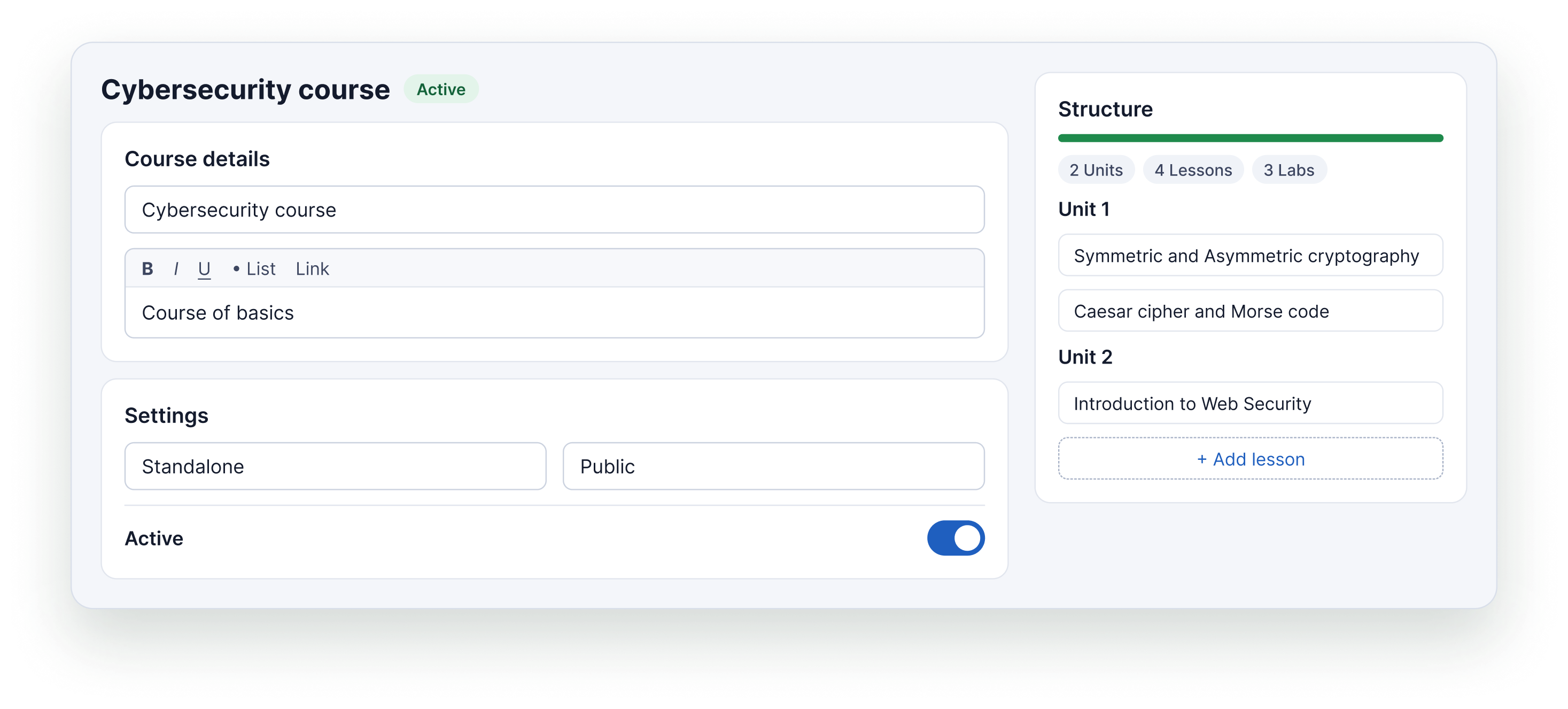
We've improved the Course Builder to make creating and organizing courses easier, all in one place.
Previously, managers had to navigate between different sections to create lessons, organize them into units, and then add those units to their courses. This made the process more time-consuming and required several steps to build a complete course.
With the new Course Builder experience, you can manage your course structure directly as you build it.
What's new?
- View your course structure in a sidebar: See the units and lessons that make up your course in one place, making it easier to understand and manage the course structure.
- Create units directly within the course: Add units as you build your course instead of navigating to a separate section.
- Create lessons directly within the course: Create lessons as part of the course-building workflow, then organize them under the relevant units.
These improvements reduce the need to switch between different sections of the Manager Portal and make it easier to build and organize your courses from start to finish.
Want to get started?
Follow our step-by-step guide to learn how to create a course on Simulations Labs.
2. Training Statistics
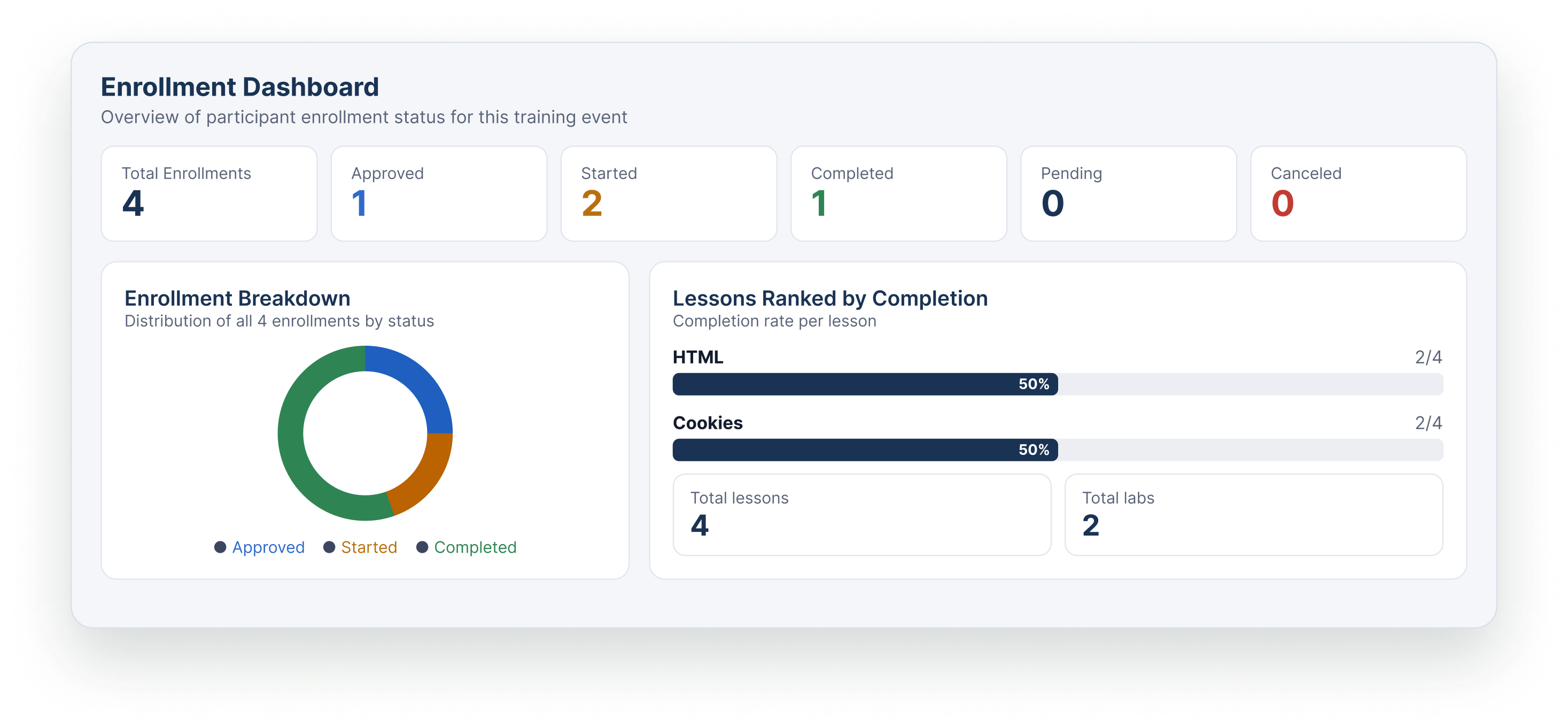
Managers can now access detailed training statistics to monitor participant engagement, track progress, and evaluate training completion.
These insights provide a clearer picture of how participants are progressing through a training event and which parts of the training may need attention.
Participant Enrollment Overview
Get an overview of participant enrollment status for a training event. This helps managers understand enrollment and see how participants are distributed across the available enrollment statuses.
Training Progress
Monitor participants’ progress throughout the training to understand how far they have progressed through the learning activities.
Lesson Completion Rate
View the completion rate for each lesson to identify which lessons participants have completed and where they may be falling behind.
Lab Completion Rate
Track completion rates for individual labs to understand how participants are progressing through the hands-on exercises included in the training.
Progress Over Time
View participant submissions since the training started to understand activity over time and identify changes in participation throughout the training period.
Completion Rate
See the overall training completion rate to understand how many participants have completed the training.
Dropout Rate
Monitor the training dropout rate to understand how many participants have stopped progressing through the training.
Get More from Your Training Data
With these statistics, managers can better understand participant engagement, identify areas where participants may need support, and evaluate how their training events are performing.
Log in to your Manager Portal to explore the updates and manage your training activities on Simulations Labs.
Ready to Build Your Own Training?
Create your Simulations Labs account and start building hands-on cybersecurity courses, organizing learning content, and tracking participant progress.