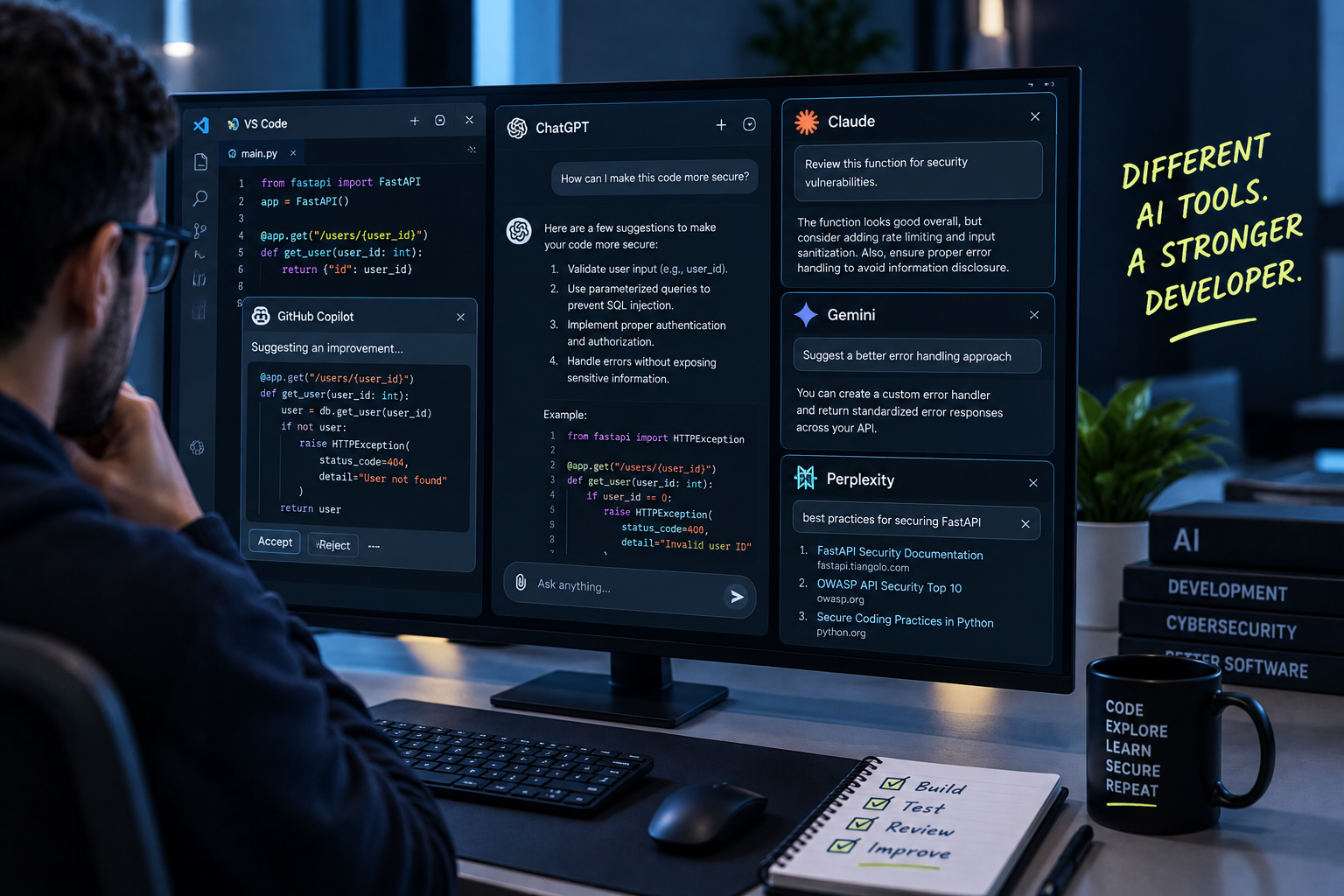
Stack Overflow's 2025 Developer Survey of over 49,000 developers found that 84% now use or plan to use AI coding tools, up from 76% the year before, and 70% of engineers run two to four of these tools at once- GitHub Copilot for autocomplete, Claude Code or Cursor for larger agentic tasks, often stacked in the same workflow. This isn't an emerging trend anymore. It's the default way a majority of software gets written in 2026.
What's strange is what's happening to trust at the same time adoption climbs. The same Stack Overflow survey found trust in the accuracy of AI output fell from 40% to just 29% in a single year. Developers are using these tools more than ever while believing in them less. That gap between behavior and belief is exactly where security risk tends to live, and it's worth understanding concretely rather than just noting it as a statistic.
The Adoption Curve Outpaced the Judgment Curve
A useful signal sits inside the code itself. GitClear's analysis of 211 million changed lines of code found that code churn, the share of code substantially rewritten within two weeks of being committed, rose from 3.1% in 2020 to 5.7% in 2024, tracking closely with the AI adoption curve over the same period. That's not proof AI-generated code is categorically worse, but it is a fairly direct measure of first-draft quality: code that needs to be substantially reworked within two weeks wasn't fully right the first time, and there's simply more of that happening now than there was before AI assistants became standard tooling.
None of this means developers should stop using these tools; that ship has sailed, and for good reason, given the genuine productivity gains involved. It means the individual habits developers bring to using them matter more than most onboarding materials currently account for.
What Individual Developers Actually Need to Know
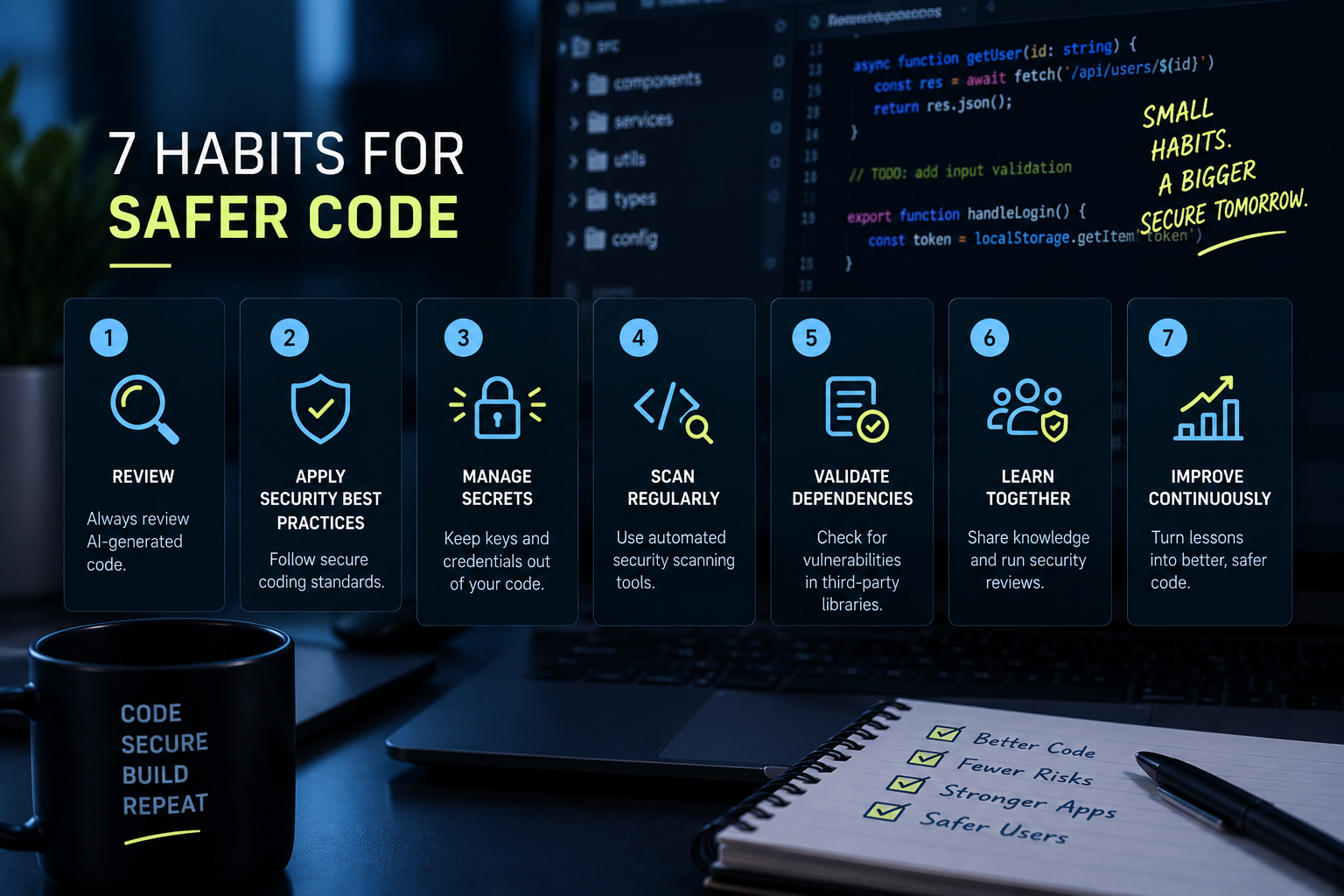
1. Treat every suggestion as a first draft, not a finished answer. The tools are optimized to produce code that looks complete and runs without errors, which is a different bar than code that's secure. A suggestion that compiles cleanly and passes an obvious test can still be missing input validation, proper error handling, or a permission check that never got exercised in the demo case. Read AI-generated code with the same skepticism you'd bring to an unfamiliar contributor's first pull request, not the trust you'd extend to a senior teammate.
2. Verify new dependencies before you install them. AI assistants occasionally recommend packages that don't actually exist, a pattern researchers have documented across major coding models, which attackers exploit by pre-registering those exact names with malicious code inside, waiting for someone to install them. Before accepting a new dependency an assistant suggests, take the extra ten seconds to confirm it's a real, actively maintained package, not just a name that sounds plausible.
3. Keep security-critical decisions in human hands. Authentication flows, authorization logic, cryptographic implementations, and session handling are the areas where an AI-generated shortcut is most expensive. These are also, not coincidentally, the areas where AI assistants most often default to a simplified version that technically works: client-side-only checks, broad permission grants, deprecated crypto functions, because the simpler version is what makes a demo run. Don't let a suggestion in this category go in without deliberately checking it against how you'd design it yourself. (Simulations Labs' privilege escalation scenario library has several hands-on examples of exactly this failure mode, if you want to practice spotting it.)
4. Watch specifically for hardcoded secrets in generated output. AI-assisted commits have been shown to expose hardcoded credentials at more than double the rate of human-only commits, often because a generated example includes a placeholder API key or token to make the code runnable. Run secret scanning on AI-generated code as a matter of habit, not just as a CI gate that catches it later.
5. Be able to explain every line you commit, regardless of who or what wrote it. This is the simplest test and the easiest one to skip under deadline pressure. If you can't explain why a piece of AI-generated code works the way it does, you're not in a position to know whether it's safe, and you've effectively shipped code nobody on the team actually understands. That's a maintainability problem as much as a security one.
6. Keep pull requests small, even when the tool could generate more at once. An assistant that can produce an entire feature in one prompt can also produce an entire feature's worth of hidden problems in one prompt. Flaws buried in large, sprawling AI-generated changes are measurably harder for reviewers, including you, reviewing your own work later, to catch than the same flaws broken into focused, incremental commits.
7. Keep your own skill sharp, independent of the tool. The most durable risk in all of this isn't any single vulnerability; it's skill atrophy. A developer who's relied on an assistant for two years without deliberately practicing the underlying skill may find they can no longer catch what the tool misses, precisely because they've stopped exercising the judgment that catching it requires. This matters most for junior developers, who risk building their entire mental model of "working code" around AI output before they've developed an independent sense of what secure code actually looks like.
Practicing the Skill the Tools Can't Replace
 Adoption of AI coding assistants isn't going to reverse, and it shouldn't; the productivity gains are real. But the judgment required to use them safely doesn't come from the tool itself; it comes from developers who've genuinely practiced finding and fixing vulnerabilities in real code, AI-assisted or not. That's the specific gap hands-on platforms like Simulations Labs are built to address: live, realistic Web Security scenarios that test whether a developer's own judgment holds up, which is exactly the skill that determines whether an AI suggestion gets caught or gets shipped.
Want to see where your team's judgment actually needs sharpening? Explore Simulations Labs' security team upskilling model and get a real read on your developers' skill, not just their tool adoption.
FAQ
Should developers stop using AI coding assistants because of these security risks? No, adoption is already near-universal, and the productivity gains are real. The risk isn't the tool itself; it's using it without the habits above. Avoiding AI assistants entirely isn't a realistic recommendation for most teams in 2026.
Why is trust in AI coding tools falling even as more developers use them? Stack Overflow's 2025 survey found trust in AI output accuracy dropped from 40% to 29% in a single year, even as adoption climbed to 84%. The likely explanation is direct experience: as developers use these tools more, they encounter more "almost right, but not quite" output that erodes confidence, even while the tools remain useful enough to use daily.
What's the single most important habit from this list? Being able to explain every line you commit. It's the simplest to state and the easiest to skip under deadline pressure, but it's also the habit that catches the widest range of problems,if you can't explain why AI-generated code works, you can't know whether it's safe, regardless of what other checks you've run.
Is code churn actually a security metric, or just a code quality one? It's more of a leading indicator than a direct security metric. Rising code churn doesn't mean every reworked line was a security flaw, but a measurable rise in first-draft rework alongside AI adoption is a reasonable signal that more unreviewed, imperfect code is entering the pipeline than before, some share of which will be security-relevant.
How can junior developers avoid skill atrophy while still using AI tools daily? Deliberately practice the underlying skill outside AI-assisted work: review unfamiliar code without AI assistance, work through hands-on security challenges, and treat AI suggestions as something to evaluate rather than accept by default. The goal isn't avoiding the tools; it's making sure independent judgment develops alongside tool use rather than getting replaced by it.